Hybrid Cloud Service Mesh

Notes I took whilst studying the "Hybrid Cloud Service Mesh with Anthos" course.

Observing Hybrid Cloud Service Mesh
Telemetry
We want to measure the performance of our apps - how long the app took, how long the network took, full e2e observability.
This was traditionally done with application instrumentation by developers.
Decouples the role of an operator from a developer.
All comms goes through the mesh in Istio, so telemetry can be derived, decoupled from the code.
Mixer offers adapters to telemetry backends like prometheus, influx, stackdriver.
Istio also gives you observability:
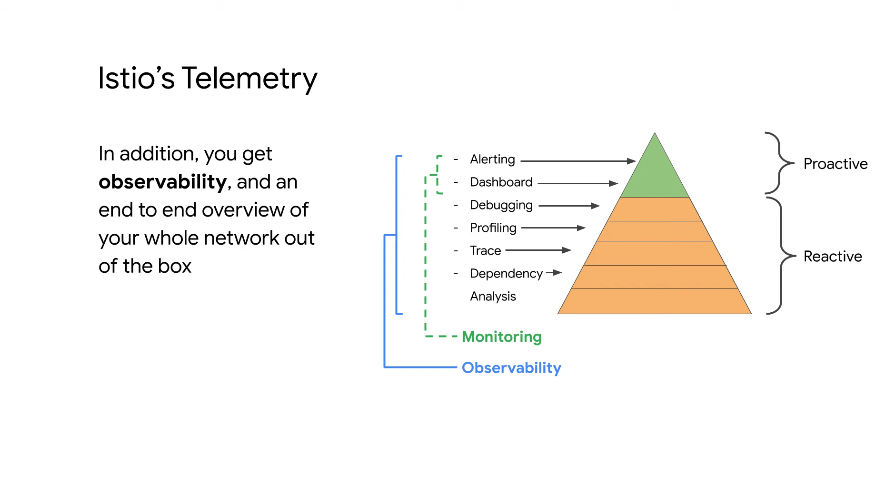
You can derive dependency trees based on traffic telemetry - which teams need to be updated/told when you change your application via traffic analysis.
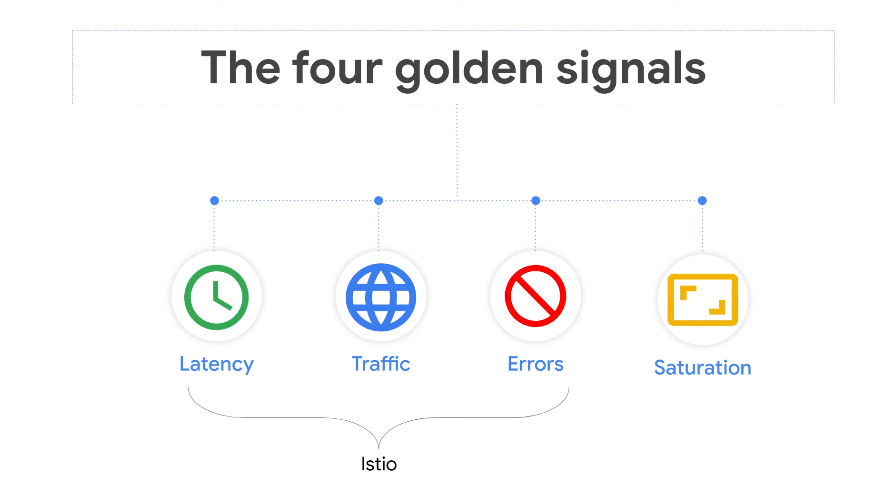
-
Latency - app response time
-
Traffic - how many requests
-
Errors -
50xcodes -
Saturation - defined max queries per second, not provided by Istio, but self defined on a dashboard
Telemetry backends
Provide:
- Log aggregation
- Monitoring (metrics)
- Alerting (function of monitoring)
Stackdriver
Cloud native intrumentation backend for GKE and GKE on prem. Not for other workloads.
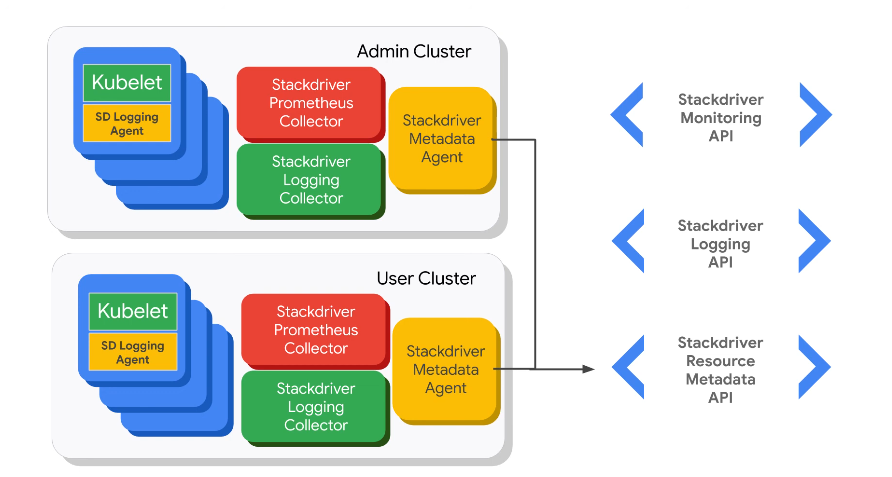
Stackdriver collector will collect everything. There is also a logging collector and a metadata agent.
On Prem
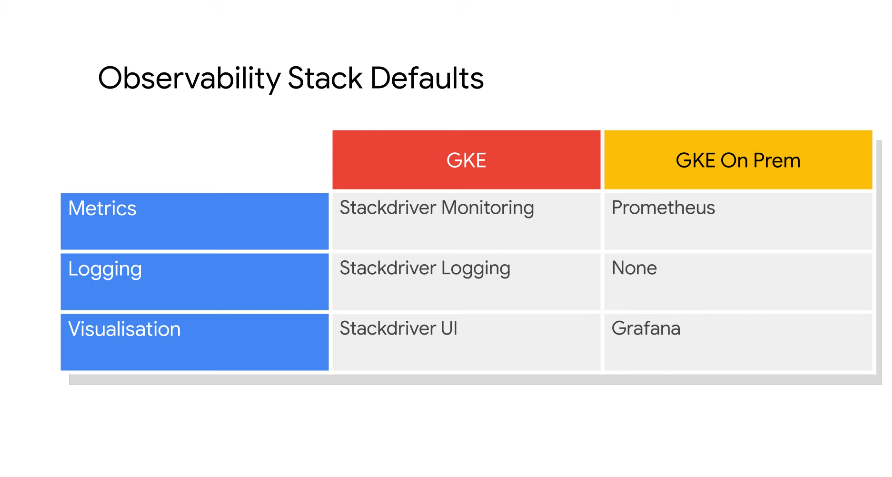
Istio comes with promo and grafana by default.
Push GKE on prem to cloud stackdriver to have telemetry in one place. Or you push GKE on prem to your existing telemtry backend.
Managing Traffic Routing with Service Mesh
Pilot manages distributed proxies across environments.
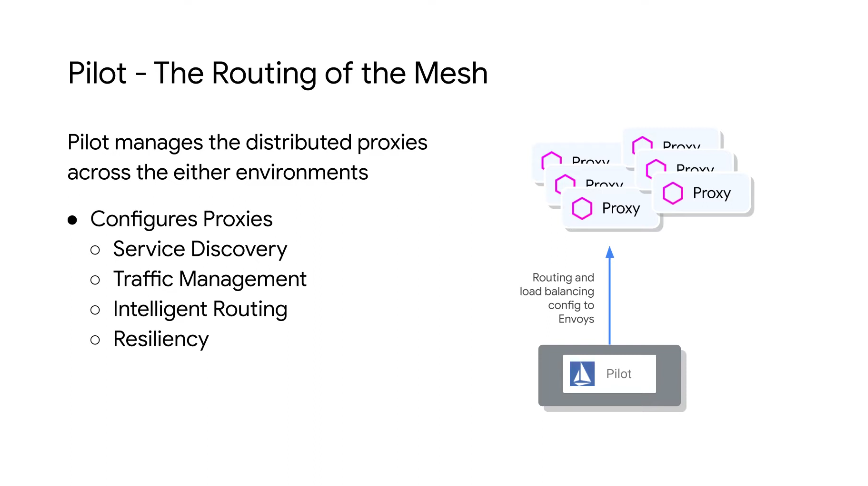
Provides discovery service via the pod sidecar proxies.
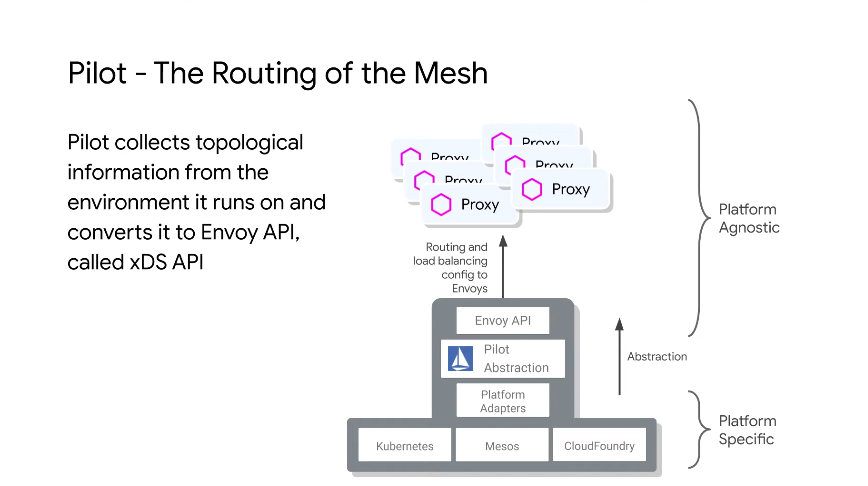
The Envoy API is called xDS API - Pilot collects the topology info via adapters and converts it to the envoy api format.
The info it collects is basically Map<ServiceName, List<ServiceEndpoint>>
To make the network smart, it needs info like what services run where. Pilot provides an abstraction layer upon env topology.
Traffic Shaping
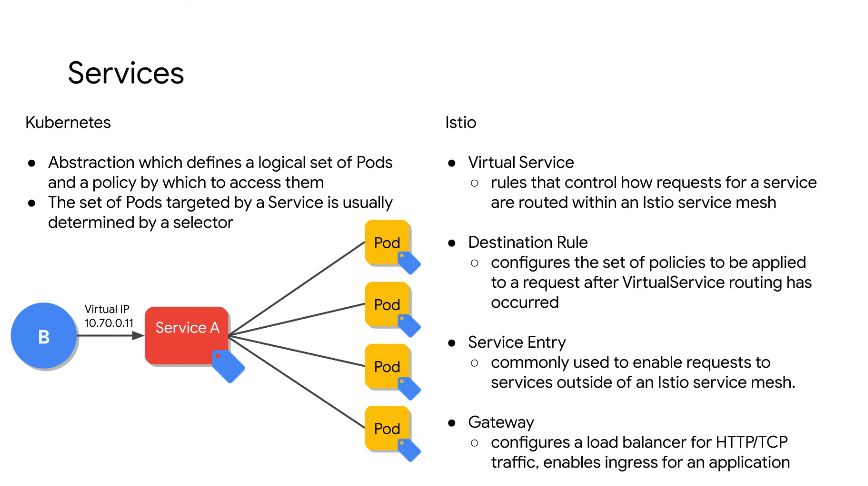
Istio provides more granularity and control.
-
Gateway - the ingress and egress
-
Virtual service - to get to point b which services should you use
-
Destination rule - how do I get to the endpoint I want
-
Service entry - do things beyond your mesh boundary
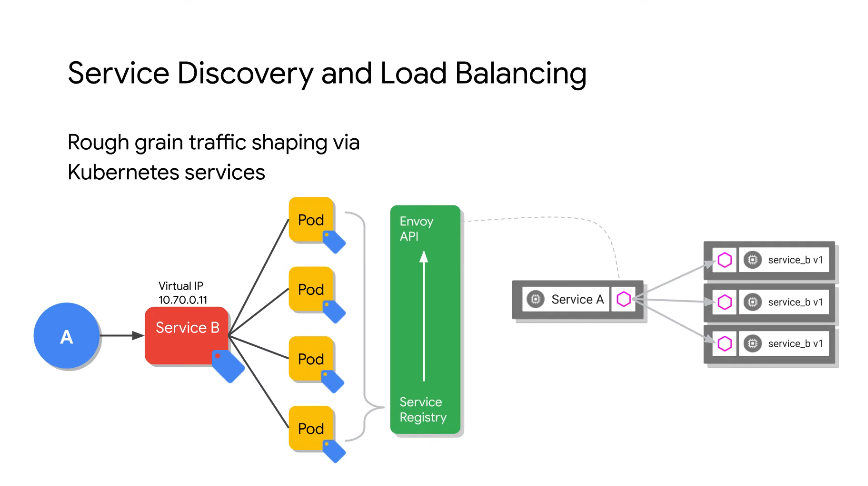
System does LB based on label selectors. Pilot can convert the service registry to the envoy api.
All pods know about all others via the service registry.
Pilot picks up the association between services and endpoints and propogates that info into your mesh.
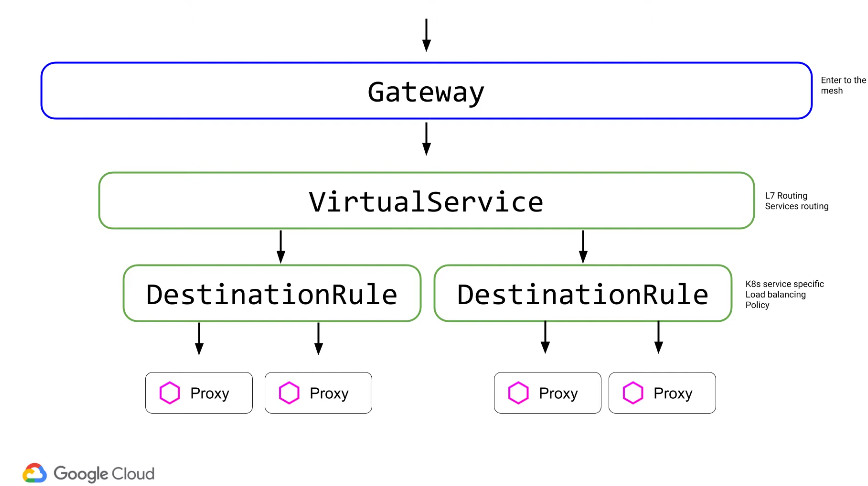
The gateway is how you enter and exit the mesh. Once in, you need to hit a service. The virtual service is a routing rule - routing across different services which could be in different physical locations.
Virtual Service
A higher level abstraction on k8s service.
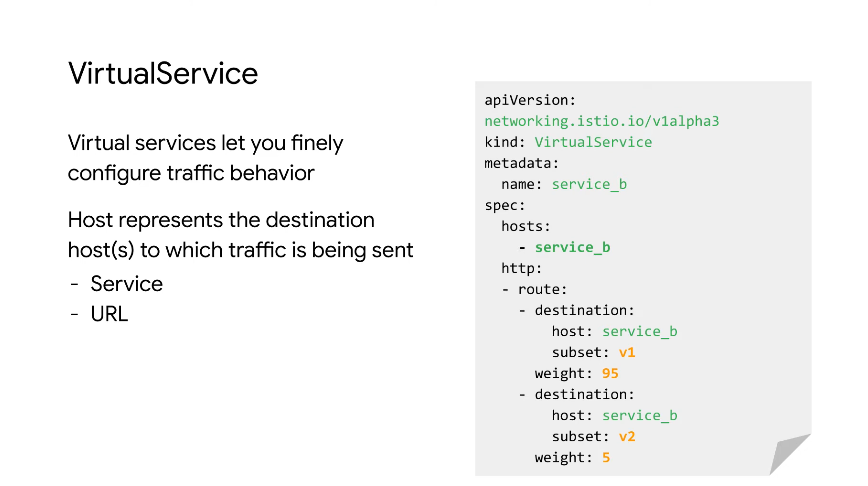
In the above we route http traffic with 95% to service_b subset v1 and 5% to the v2 subset.
Virtual Service with Gateway
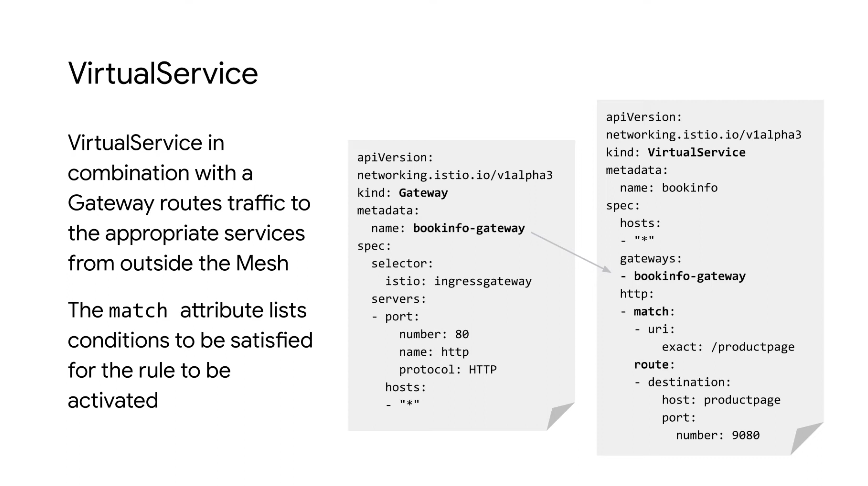
The Istio ingressgateway is a sidecar that comes with Istio. It's exposed via LB on GKE.
The virtual service called bookinfo referenes the gateway.
The host in the route is the k8s service.
L7 Traffic Splitting
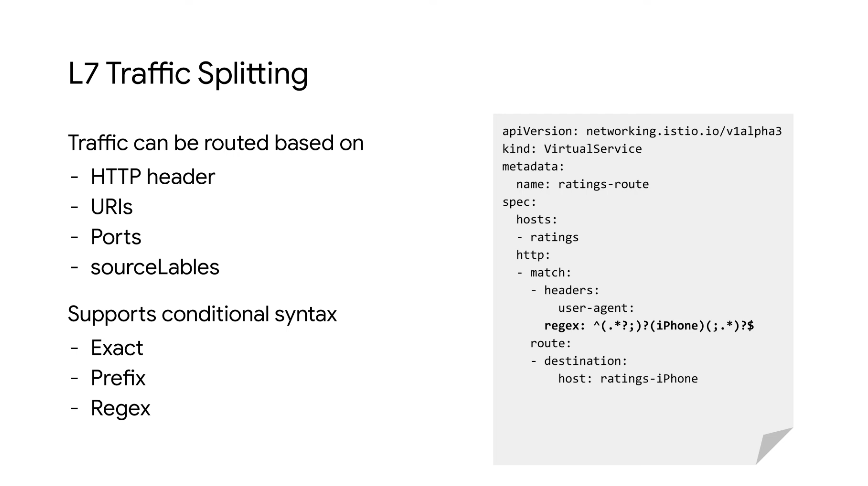
In this config we use a match on the headers using a regex on the user-agent.
Allows for device based routing based on http headers.
Destination Rule
After routing has already occured, we may still need to define and apply policies to traffic that's intended for a service for LB, session affinity, connection pooling and circuit breakers.
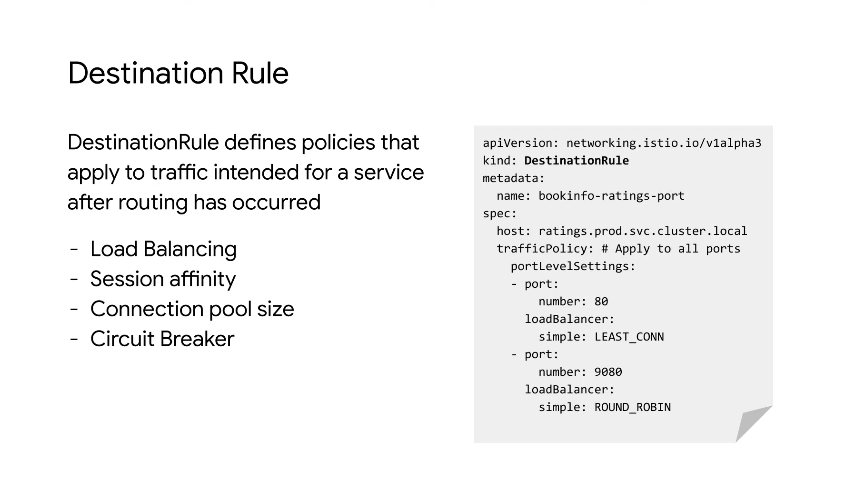
The host specified is the destination. We apply a least_conn policy for loadbalancing on port 80. LB happens on the client in Istio (at the proxy level). Each proxy makes LB decisions.
DestinationRule has a 1-2-1 relationship with a K8s service.
Traffic Splitting
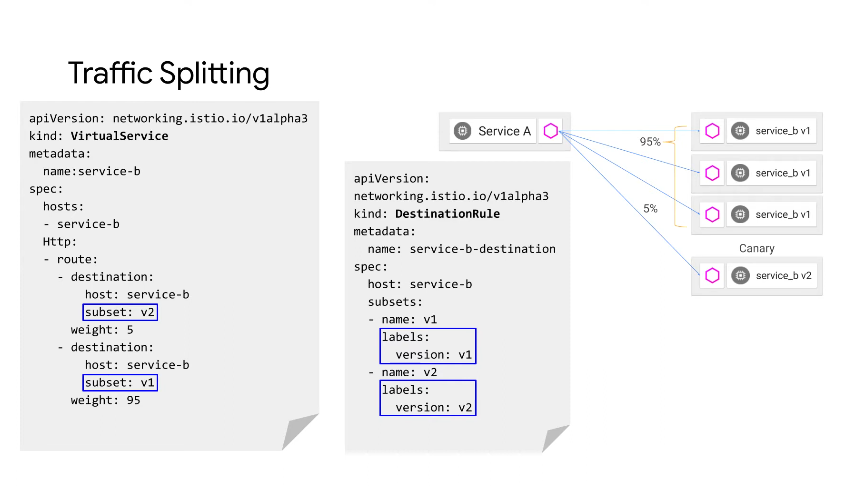
A virtual service that tries to get to host service-b. We route it with a weight. Both hosts are service B but have subsets which
The destination rule is coupled with the k8s service, so can have different LB, auth etc based on different subsets. The subsets are defined using label selectors - version is a k8s label, though doesn't need to use version can also use production/canary.
Fault Injection
Making fault injection a function of your network.
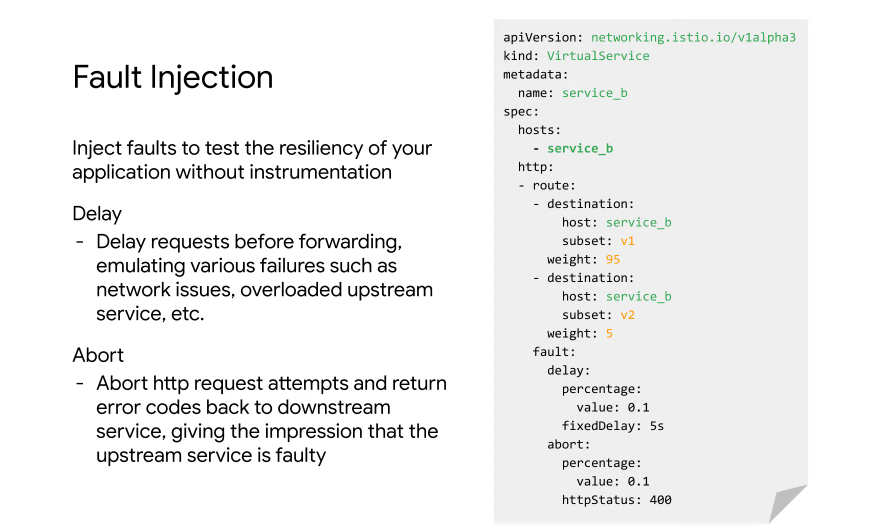
Add a 5 second delay to a subset of your traffic and an abort with status 400 to a subset of traffic.
The proxy will intercept the traffic and create the abort or delay - not the application. You can also define a timeout in the virtualService.
Security In Service Mesh
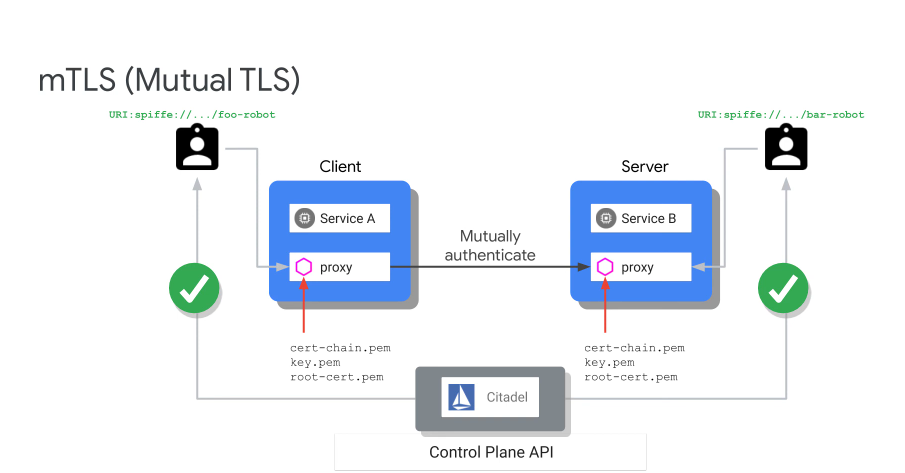
Service traffic has to be encrypted against MITM attacks. It needs access controls, mTLS, access polciies and audit.
Istio security - security at the network level. No changes for app code, no auth in the app code for service traffic.
Our security posture has to become like a maze - every step you have to do something, so each service has to authenticate one another and everything is encrypted.
mTLS Flow
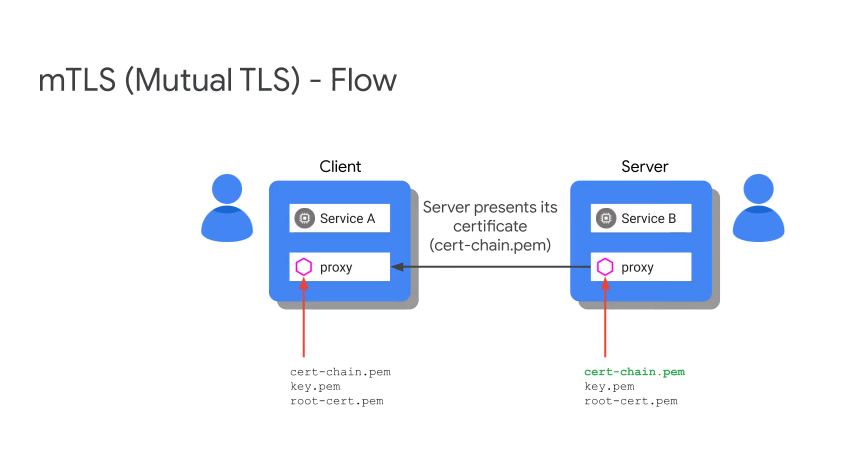
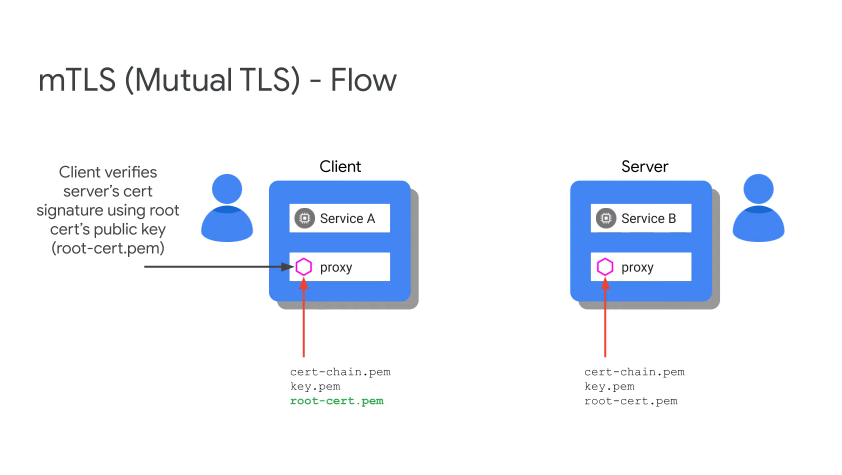
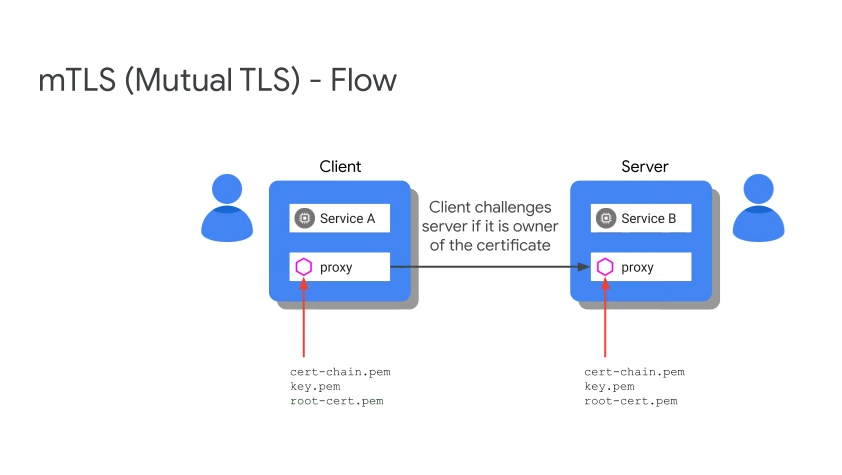
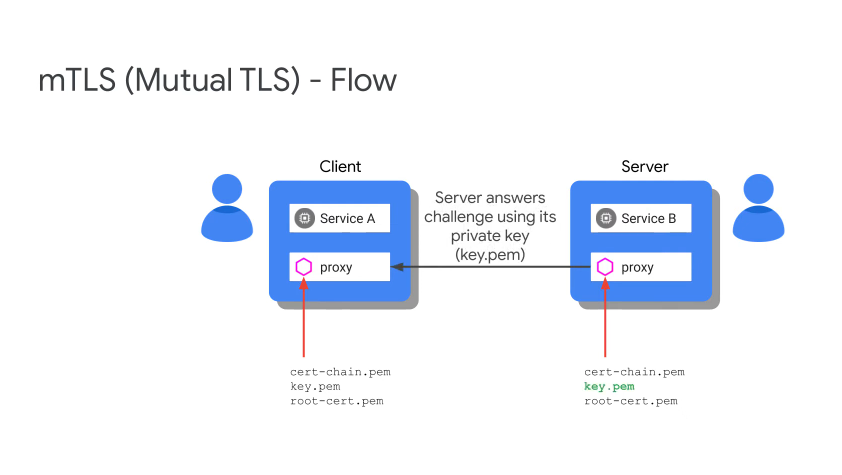
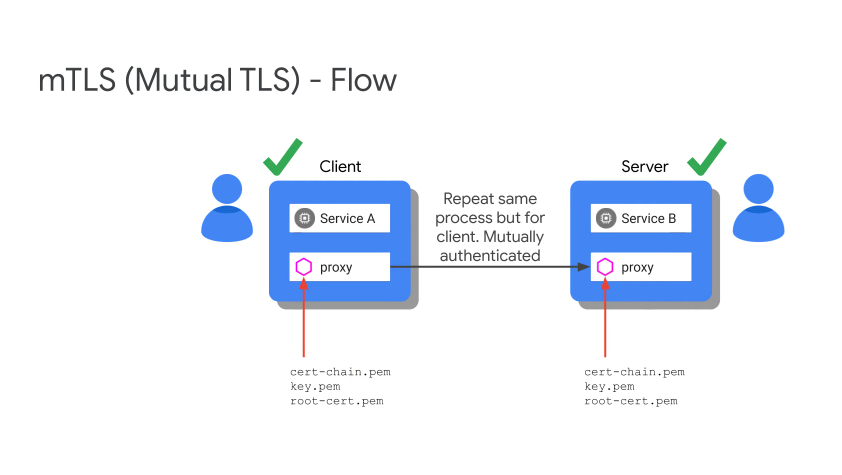
Citadel is responsible for all of the certs, it is the CA and also provides cert rotation.
Incremental mTLS
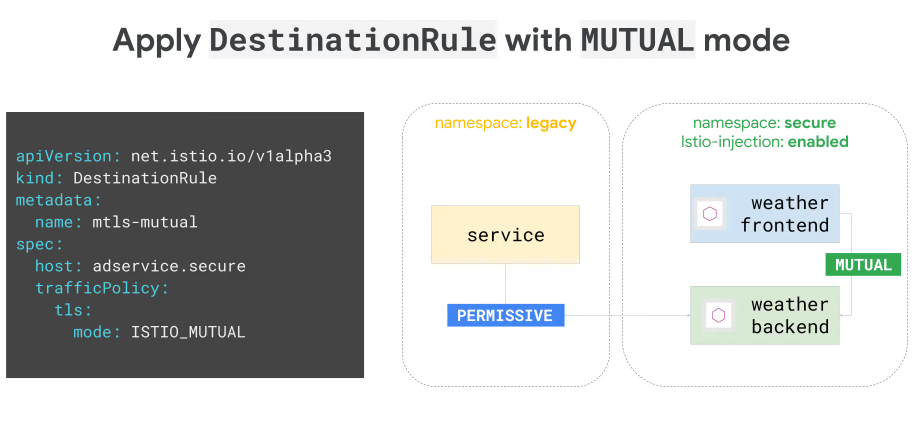
In permissive mode you can go from one service to another without authentication. With mutual mode you must use mTLS. This allows gradual adoption for things outside of our mesh which otherwise requires a CA etc.
Can lockdown which bits use mTLS selectively.
In strict mode, we say everything uses mTLS but there is now also explicit whitelisting and blacklisting.